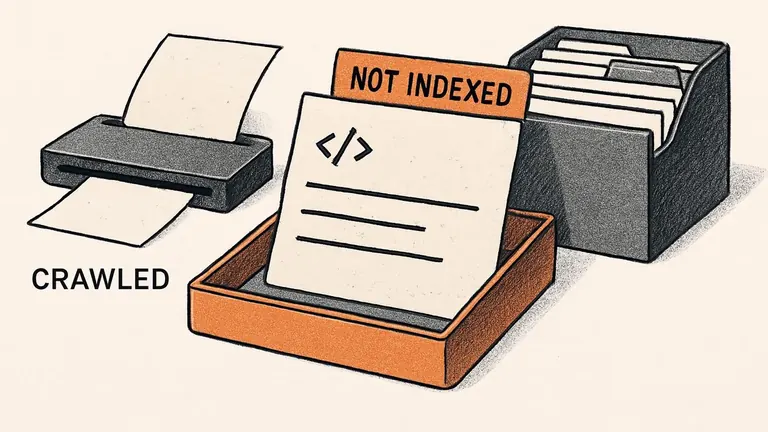


A growing list of excluded pages in Search Console can look like a problem before you open a single page. Some exclusions may be doing exactly what you want. Others may be hiding the pages customers need.
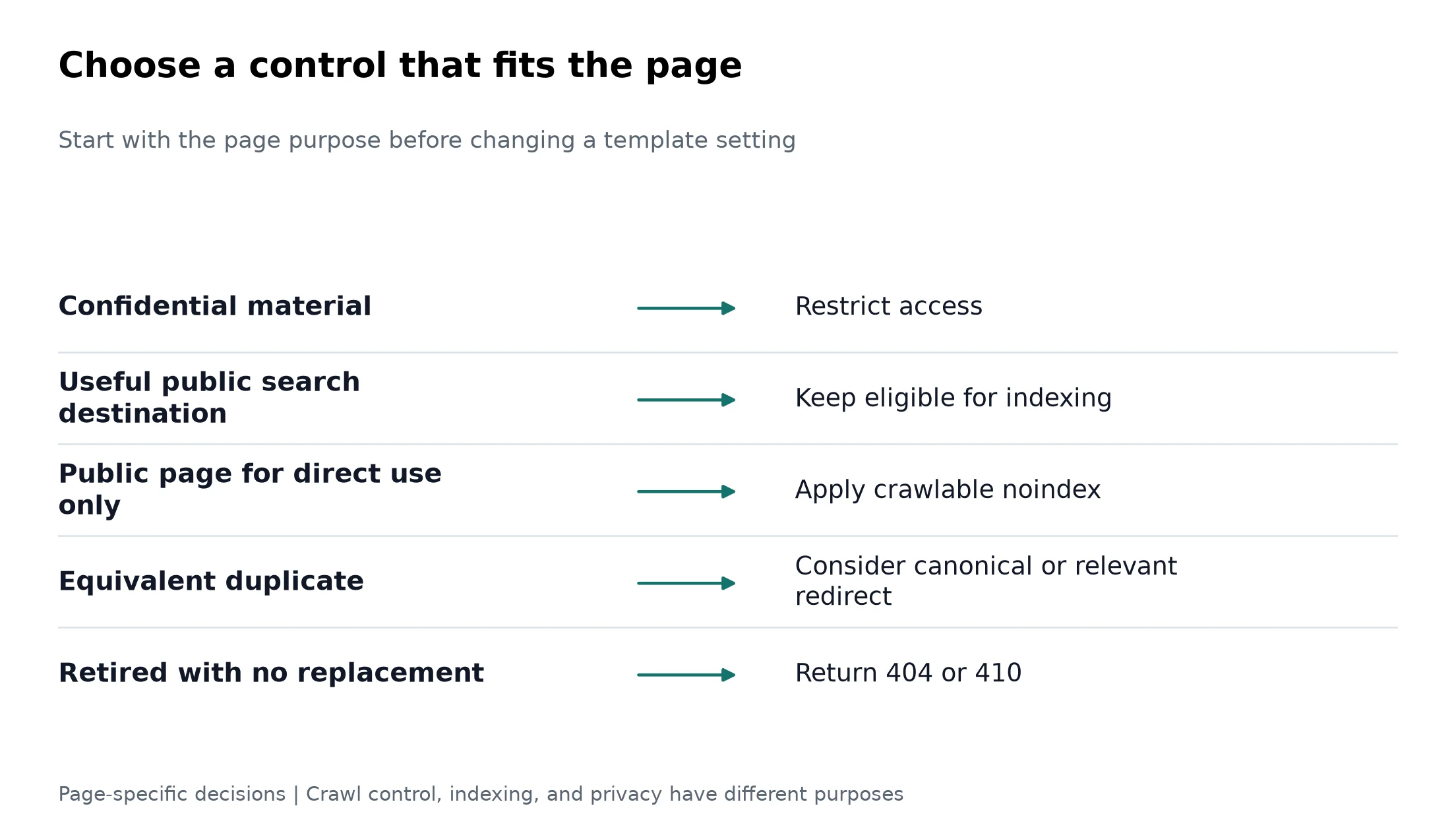
The share of pages indexed doesn't tell you which exclusions to fix. That depends on which pages people should reach through search, which should remain available only through a direct visit, and which should be private. Those choices need different controls.
| Page purpose | Usual action | Check first |
|---|---|---|
| Private information or an internal draft | Restrict access | Can unauthorized visitors reach the original files? |
| Useful public destination | Keep indexable | Does it answer a real visitor need? |
| Public utility used during a visit | Consider noindex | Does it have independent search value? |
| Equivalent version of another page | Canonicalize or redirect | Must both versions remain accessible? |
| Retired content with no replacement | Remove with a proper status | Is there a relevant destination worth preserving? |
Choose the page's purpose before its setting
A search result should take a person somewhere useful without requiring them to have completed an earlier step. A purchase confirmation usually fails that test. A public guide to resolving an order problem may pass it. What the visitor needs to do helps you decide whether a page should appear in search.
The page's purpose matters more than its folder name or template. A page can be useful to someone already on the site and still make a poor search destination. You can keep it available while asking Google to keep it out of results.
A list of URLs with each page's purpose beside its setting makes these decisions easier to revisit. When someone later asks why a page is excluded, the answer should be visible without piecing together an old discussion. Include the owner who can confirm that the page still serves the same purpose.
- Check URLs from each main template and note who each page is for and how they use it.
- Record whether each sample should be searchable, public by direct visit, private, or retired.
Protect private content with access controls
If a page has private information, noindex is not enough. It tells search engines that support it not to show the page after they fetch the instruction. It doesn't stop another person from opening the URL or sharing it.
Require users to sign in or use other access controls for private material. That includes internal drafts and staging sites that are not meant for public access. Check the files behind the page too. Protecting a document viewer does little if a visitor without access can open the original PDF through a separate address.
A paywall needs a separate decision. A publisher may want people to discover an article through search and then subscribe to read it. That is different from an internal document that only specific staff should access. Whether public discovery is intended determines how to treat each page with restricted access.
Access restrictions can prevent Google from fetching the content. That is appropriate when privacy is the goal. Don't open confidential material to a crawler just so it can read a noindex tag.
- Test a private URL while signed out and, where appropriate, with an account that lacks permission.
- Check original downloads, images, exports, and preview links for unintended access.
- Protect the content itself, including files that can be opened without visiting the page.
Noindex public pages that serve a direct task
Noindex is useful when a page needs to remain publicly accessible but should not appear in search. Choose it deliberately for the page's role, with exceptions where people have a reason to find that page directly.
Transaction and account pages
Thank-you pages, checkout steps, password-reset screens, and cart pages usually depend on a visit already in progress. A search visitor arriving halfway through those steps may see an empty or confusing screen. It makes sense to consider keeping these out of search.
A public login page can be different. Existing customers may search for the brand and a sign-in link. I would consider whether that page helps them reach the service before excluding it. The account details behind the login still need access controls, whether or not the login page is searchable.
Internal search and thin archives
Internal search can generate many URLs that offer little value on their own. A search for a misspelled product, an empty result, or a short-lived mix of terms rarely needs its own Google destination. Similar utility pages can appear when a theme creates separate URLs for content embedded elsewhere.
Archives need closer inspection. A tag page with one item and no useful way to browse offers little. A well-maintained category that helps visitors compare related products or find specialist advice can serve a clear need. A blanket switch for every category may remove useful pages along with unwanted ones. Check examples from each group before changing a whole group.
- Find pages that only make sense after an earlier transaction or browsing step.
- Check archive content and whether people already find it through search before excluding every page that uses the template.
- Keep the useful public page when removing a version that adds no value.
Keep useful pages open to search
A page doesn't need to sell something to deserve a search result. People may look for support instructions, author information, contact details, or a company's policies. I wouldn't noindex those pages simply because they attract less traffic than a product page.
Judge the proposed exclusion against the visitor's need. A support article that solves a rare but serious problem can be useful with few visits. An author page may explain who is responsible for specialist content. A page for paid ads may also help visitors from organic search if it has a distinct, lasting purpose.
Being indexable gives Google permission to consider a page. It does not guarantee that Google will index or rank it. When reading reports, remember that removing an accidental noindex fixes a barrier. It doesn't prove that the page will appear right away.
The practical question is whether you want the page available as an answer. If you do, an exclusion needs a reason stronger than its age, word count, or low share of total visits.
- Before excluding an important page, check the queries that bring visitors to it and how it helps visitors and the business.
- Keep useful product and category pages, articles, and support pages available for Google to index.
Choose consolidation for equivalent duplicates
When two URLs show the same or very similar content, you may want Google to group them around a preferred version. A canonical link signals that preference. It is useful when duplicate versions need to remain accessible, but it does not guarantee removal of the alternate URL.
Noindex asks Google to exclude the page. Google advises using canonicalization rather than noindex to choose which duplicate to show for a site. Don't use the controls interchangeably because both seem to reduce the number of URLs in a report.
If a duplicate destination is being retired, a permanent redirect to a relevant page may be a better fit. If the content is gone and there is no appropriate replacement, return a real 404 or 410 response. An unrelated redirect is not a useful replacement for a missing page.
- Identify which URL should represent equivalent content and whether the alternate must remain usable.
- Align canonical references, internal links, and sitemap entries with that choice.
- Check that retired URLs return the intended redirect or missing-page response.
Manage large numbers of filter URLs as a crawl problem
Product filters can create huge numbers of URL combinations. Preventing search engines from fetching unwanted combinations may be needed to limit the work your server has to do and help them reach useful pages. That is a crawl-management decision, which robots.txt can support.
It is not the same as removing an already known web URL from search. Google can know about a URL without crawling its content. If robots.txt blocks the fetch, Google also cannot read a noindex tag on that page. Adding both doesn't give you two layers of removal protection.
A stable filter page for a meaningful product selection may help a visitor, while endless changes in sort order may not. The developer and SEO owner need to distinguish useful filter pages from uncontrolled URL combinations and agree which patterns remain crawlable before changing rules across the site.
- List filter patterns that should serve search visitors and patterns created only for browsing.
- Test crawl rules against examples from both groups.
- Resolve any conflict where robots.txt prevents Google from reading an intended noindex instruction.
Decide which generated pages belong in search
A site that lets users create content they can share needs a clear policy on what people can find through search. Google's October 26, 2026 abuse guidance includes generated pages and interactive tools. Something made for direct sharing or working together may not belong in search at all. New users' public content may also need review before it becomes indexable. Decide before launch what should be searchable by default and how useful, trustworthy content can become searchable. The content still needs review and monitoring. A public URL doesn't mean the owner intended the page to appear in search, and noindex doesn't make shared content private.
- Decide whether each type of generated content should be searchable by default.
- Define who can approve exceptions and watch for unexpected growth in public or indexed URLs.
Apply the rule and check both stages
A setting can be correct today while the report still reflects an earlier crawl. The work isn't done until the live response and Google's processed version match the decision, so each needs a separate check.
Check the live page and response
For an HTML page, noindex can be placed in the head as <meta name="robots" content="noindex">. An HTTP response header, X-Robots-Tag: noindex, can also carry the instruction and works for files such as PDFs. Inspect both places when checking why a page is missing.
Confirm that Google can fetch a public page whose noindex it needs to read. A noindex entry in robots.txt is not supported by Google. Also avoid serving initial HTML with noindex and relying on JavaScript to remove it. Google may skip rendering after seeing that initial instruction. Test representative URLs before expanding a template change.
Confirm what Google processed
Use URL Inspection to examine the live result and the last processed version, including when the crawl happened. A successful live check shows the current response. It doesn't prove Google has already removed or restored the URL in search. Watch the status after another crawl rather than promising a fixed time to finish.
For urgent removal, the Removals tool can temporarily hide a result. Its requests last about 6 months, so pair it with the appropriate permanent action. For an accidental exclusion, correct the actual tag, header, or access problem, then monitor important URLs. Make the same checks when launching a new version of the site so a development setting doesn't become the live site's policy.
- Save the live HTML and HTTP headers you checked, along with the intended action for each test URL.
- Compare that result with Google's last crawl and subsequent indexing status.
- Check key page templates after the change goes live, and keep a way to undo a bulk change that went wrong.