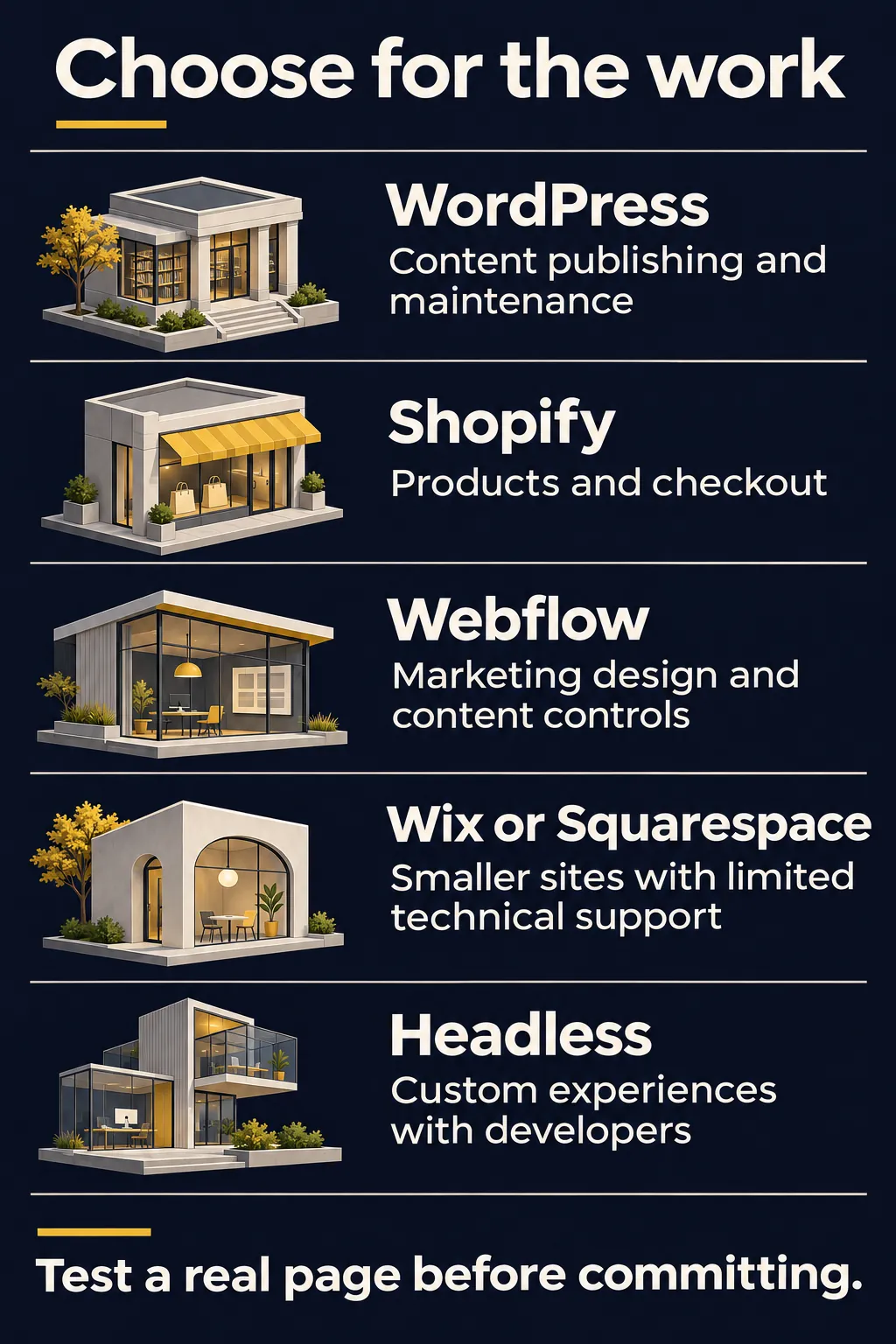


WordPress is a strong choice for a content-led website when someone can maintain it. Shopify makes more sense when your store and checkout come first. Webflow suits marketing teams that want close control over design. Wix or Squarespace can suit an owner who needs to update a smaller site without technical help. A headless setup becomes useful when the business needs a custom web application and has developers to support it.
Your choice affects how easily you can keep the site useful, but a platform alone won't get you into AI answers. For SEO and answer engine optimization, you need to know what your team can publish and how much work it takes to keep those pages correct.
| CMS or architecture | Strongest fit | Main responsibility or constraint |
|---|---|---|
| Self-hosted WordPress | Content-led sites with several contributors | Take care of hosting, themes, plugins, and maintenance |
| Shopify | Businesses built around selling products | Check theme output and migration limits |
| Webflow | Marketing sites with design needs | Confirm plan access and content-field support |
| Wix or Squarespace | Smaller sites with limited technical support | Accept less control over some generated output |
| Headless architecture | Custom web experiences with engineering support | Build and maintain the website that delivers the content |
Choose the CMS your team can keep useful
A content management system lets people create and update website content. The best fit depends on who those people are and what they need to publish. A platform with broad technical controls can still be a poor choice if every correction waits weeks for someone who knows how to use them.
Work backward from your important pages. A publisher needs a manageable writing and approval process. A retailer needs product information to stay consistent with the catalog. A service business needs staff to correct its offers and contact details quickly. Before comparing feature lists, decide who will own those jobs after the website is built.
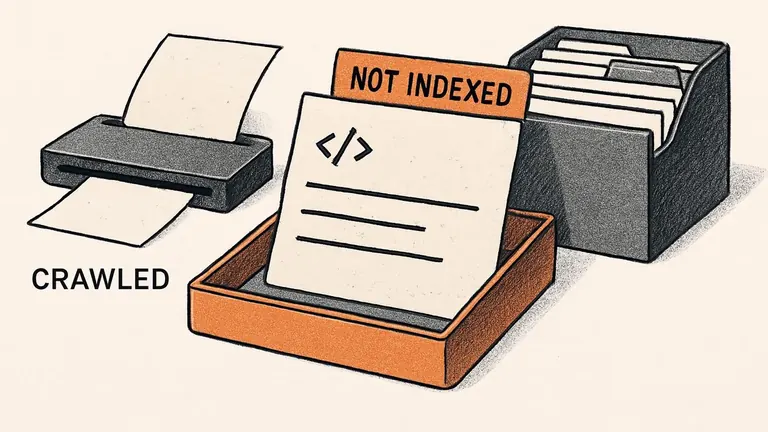
Google's AI search features use ordinary Search requirements. Supporting pages need to be indexed and eligible for a Search snippet. Test whether search systems can reach and read the pages you publish. A vendor calling its platform "AEO-ready" doesn't tell you whether your pages meet those conditions.
WordPress for content-led sites
Choose self-hosted WordPress when publishing is a large part of your business and you have someone to take care of the site. Its writing roles and range of extensions make it useful for sites with several contributors and different page types.
An Author can publish their own posts. An Editor can manage other people's posts. A Contributor can write without publishing. Those distinctions give you a starting point for assigning access. A more involved approval process may need more setup, so test the process your team follows rather than assuming the default roles cover it.
WordPress includes XML sitemaps and canonical tags for single posts and pages in its core software. A canonical tells search systems which URL you prefer as the main version of a page. You don't need a paid plugin just to have a sitemap.
Plugins and code can extend those controls. Yoast provides SEO settings and schema generation. Redirection can manage redirects and log missing pages. Choose extensions for a defined need and inspect their combined output. Installing several tools that all alter the same metadata can make problems harder to trace.
Someone still needs to maintain the hosting, theme, and plugins. Speed depends on those choices, settings, images, and other page content. A managed host may take on part of the work while limiting which plugins you can use. Price the support your site needs alongside the software, and decide who checks the site after updates.
Shopify when selling products comes first
Shopify is a practical choice when the website's central job is selling a catalog of products. It combines product and checkout tools with managed hosting, so your team can spend less time setting up those parts on their own.
Its SEO defaults include canonical tags, a sitemap, and robots.txt. You can edit relevant titles, descriptions, URLs, and image alt text. Product schema depends on what the theme produces. Your theme and apps need to work together, so inspect a live product page to see whether they produce the right markup.
Your choice also depends on how much of your work happens outside the store. If you mainly publish research, sell consulting, and have a small merchandise section, assess the editorial work as carefully as checkout. If product management drives the business, commerce defaults deserve more weight.
Take care when planning a site move. Shopify's native redirects work only when the old URL no longer works. They won't redirect a page that's still live. Some fixed paths and reserved prefixes can't be redirected through that system. Test a sample of your old URL patterns before agreeing to a price for the move. A redirect spreadsheet is useful only if the destination platform can carry out its rules.
You can customize robots.txt through theme code, but Shopify treats that as an unsupported customization for its support team. Keep that responsibility with someone who understands the existing rules. Product distribution through Shopify's agentic storefront options is also separate from open-web crawler access. Decide which route you need before changing settings intended for another one.
Webflow for a marketing team with design needs
Webflow belongs on the shortlist when a marketing team wants to manage the design of a website without rebuilding ordinary pages in code. Its native SEO controls cover several jobs that otherwise require extra integrations.
You can use automatic or custom sitemaps and configure canonical URLs. The generated sitemap updates when you publish. For repeatable content, Collection fields can supply page information instead of requiring an editor to enter the same kind of value repeatedly.
You can add schema to static pages and Collection pages through Webflow's native schema field. You need a qualifying paid Site plan or Workspace, along with a user role that permits it. Reference, Multi-reference, and Multi-image Collection fields aren't supported in that native feature. If your planned markup relies on related records, ask the builder to show how it will work with your content model.
Redirects also require a paid Site plan or paid Workspace. Webflow recommends no more than 1,000 rules, though that number isn't a hard limit. A large migration may need carefully designed wildcard rules instead of a long list added without testing.
An editor should be able to change a real Collection item and publish it with the correct metadata and schema. Test that with your content. Avoid adding a second canonical or another source of schema just because a tool offers one. Agree which setting controls each piece of output.
Wix or Squarespace for a small team
Wix or Squarespace can be sensible when the person running the business will also update a modest website. Managed publishing can make it easier to keep service descriptions and contact information current.
Wix offers type-based SEO settings and structured-data controls. Squarespace supplies automated sitemaps and several schema types, though its generated schema can't be edited or removed. You'll need to decide whether that limit affects the pages you want to build. It doesn't mean the platform prevents search visibility.
If you need ordinary service pages and an easy way to edit pages, test those tasks first. If a developer has identified a particular technical requirement, ask for a demonstration on the builder before deciding it can't be done. The right choice should let the owner make routine corrections without taking on a maintenance job they can't support.
Headless when the business needs a custom frontend
Consider headless when you need to reuse structured content across web experiences or build an application that conventional page templates don't suit. In this setup, the content system and the app that shows the content are separate. Your team takes responsibility for building and maintaining the parts you want to control.
Contentful is one example of a headless CMS. Storing your content there doesn't give you a finished website. Developers must build the pages and their SEO controls in the web app. They must also make sure new content reaches those pages when an editor publishes it.
Your developers also take on jobs you might expect the CMS to handle. Contentful doesn't manage the website's robots.txt. Redirects can be stored as content records, but the frontend needs a working redirect manager before those records change what a visitor receives. The fields for titles and other page details must produce the right tags on the live page.
Once developers build the right controls, editors needn't request a code deployment for every text correction or redirect. Have your staff try the editing fields and preview a page. Then publish a change and make sure it reaches the website. If publishing isn't connected to the live site properly, visitors can still see the old version after an editor approves new text.
Next.js can be part of this setup, but it is a web framework rather than a competing CMS product. A team might pair it with Contentful or another content system. Judge the complete setup and the support it needs.
Test a real page before committing
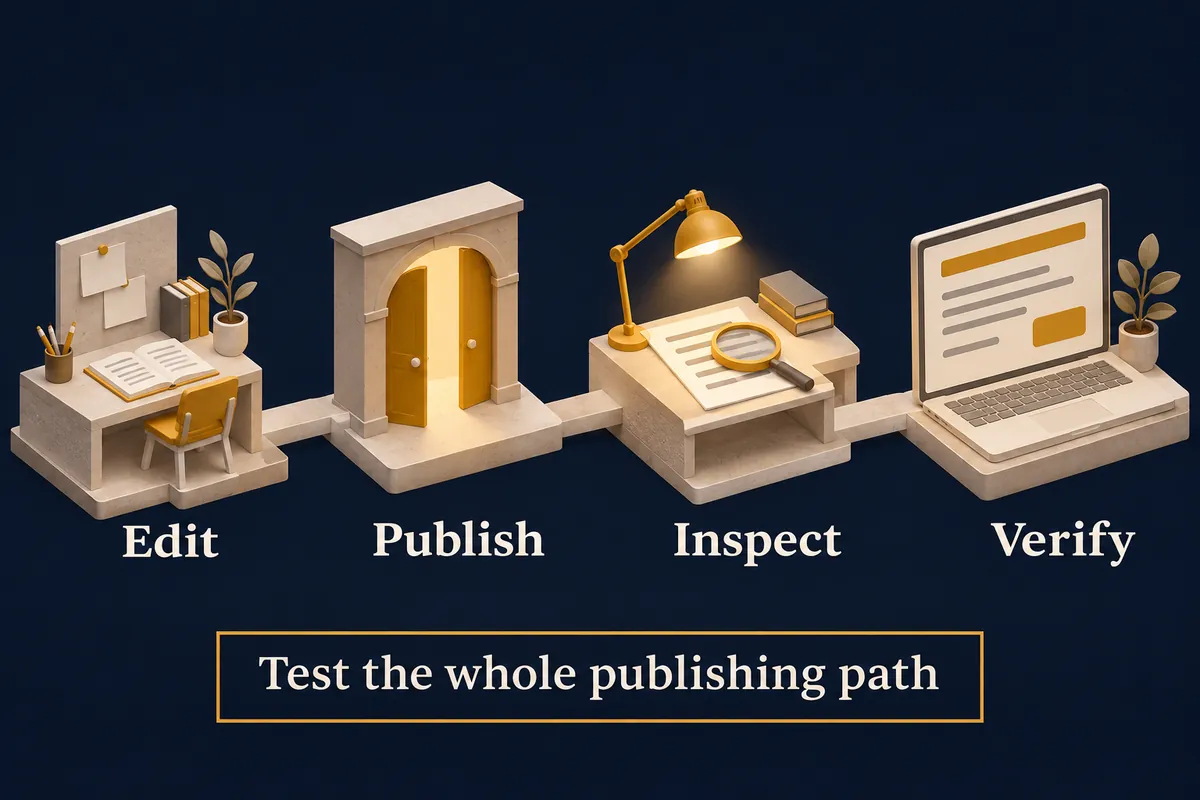
Have the person who will edit the website publish a typical page before you approve the platform. Use real text, images, and the third-party tools the finished site will need. An empty demonstration page won't reveal whether the setup supports your work.
Follow that page through a routine edit. Your editor should correct an important fact and add an internal link, then change the page's URL. Create a redirect from the old address and test it. Go through preview and approval as your staff would, and find out who can restore the previous version if something goes wrong.
The developer's review starts with what the published page returns. That includes its status code and initial HTML, along with the text that appears after scripts run. The title and canonical need to be correct, with indexing instructions that match your intentions. Internal links and the sitemap should point to the intended address. Schema should describe what a visitor can see on the page. Following the edit all the way to the live page shows you more than watching someone click Publish.
Find out how the page loads its content, especially with a custom frontend. Google can run JavaScript, while some bots can't. If the server delivers the important content, either through server rendering or prerendering, crawlers have less need to run scripts. Google's URL Inspection and Rich Results Test can help you see what Google receives and renders. Use the page's actual output to assess whether crawlers can read it.
Choose which search crawlers you want to reach your site, and test whether hosting and security controls let them through. OpenAI uses OAI-SearchBot for search and GPTBot for model-training crawling. You can control them independently, so permitting search doesn't require permitting training. Test access beyond the CMS settings, since the site's firewall can still block a request.
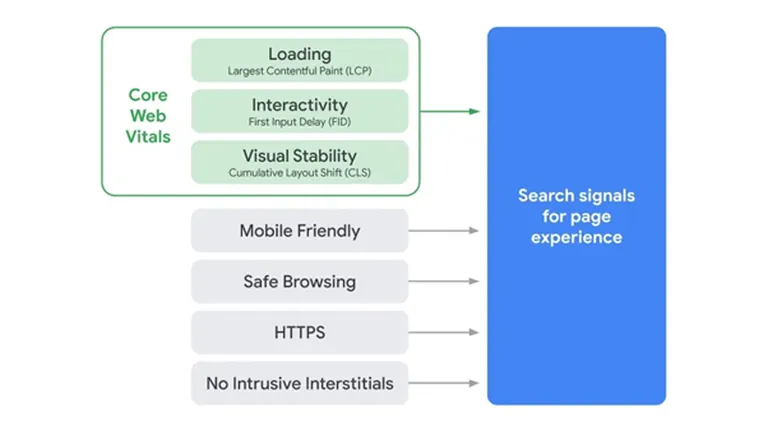
Load the page with the images and scripts your site will use before judging its speed. PageSpeed Insights separates lab tests from real-user data, and pages with too few samples may have no real-user data. You can compare how quickly the page loads, how it responds to input, and whether its layout shifts.
The ongoing cost needs to cover subscriptions and hosting as well as plugins and editor seats. Include support and development, too. If you're replacing an existing site, add URL mapping, redirects, content checks, and monitoring to the migration budget. Large site moves can change rankings for a while. A rebuild makes sense when it solves a publishing or technical problem you can't reasonably fix in your current setup. Write down what the new site needs to do, and use the test page to confirm it can do that before approving the move.